
Settings
Settings is the dedicated space for instance-wide configuration that keeps a self-hosted deployment secure and correctly wired.
What you can do
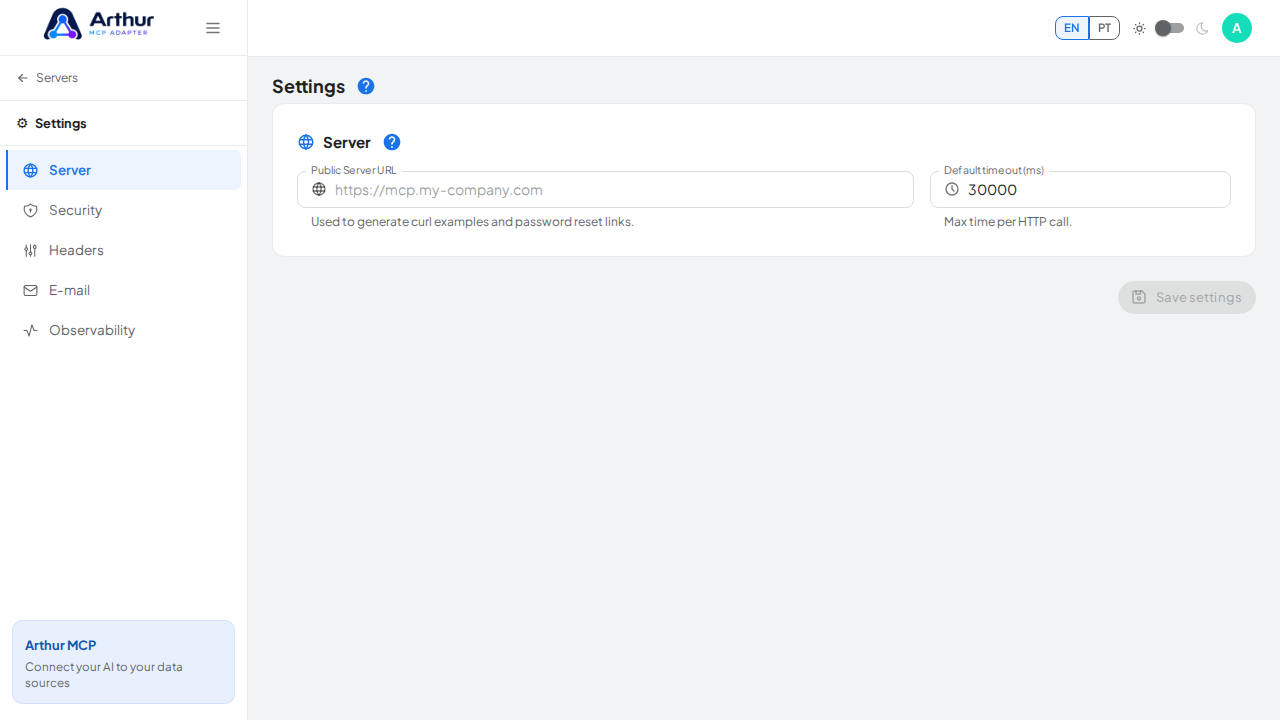
- Server — set the base URL and default upstream request timeout used across the instance.
- Security — rotate the JWT signing secret used for auth tokens and public share links, without redeploying.
- Headers — define global request headers automatically attached to every upstream API call Arthur makes, useful for tenant IDs or infrastructure-level auth.
- Email — configure SMTP so the platform can send transactional email such as invites and notifications.
- Observability — check a live, read-only view of the active observability configuration (structured logs, metrics, tracing) without checking environment variables directly.
How to use it
- Go to Settings and pick the relevant tab.
- Update the values for that tab and save — changes take effect without a redeploy.
- Use the Observability tab any time you need to confirm what's currently enabled on this instance.
Good to know
- Settings changes are instance-wide, not per-server. Per-server behavior (base URL, auth, rate limits) lives on each server's own Settings tab — see MCP Server Management.
- Related: Secrets and Authentication, Observability.
Tutorial video