
REST API Template Gallery
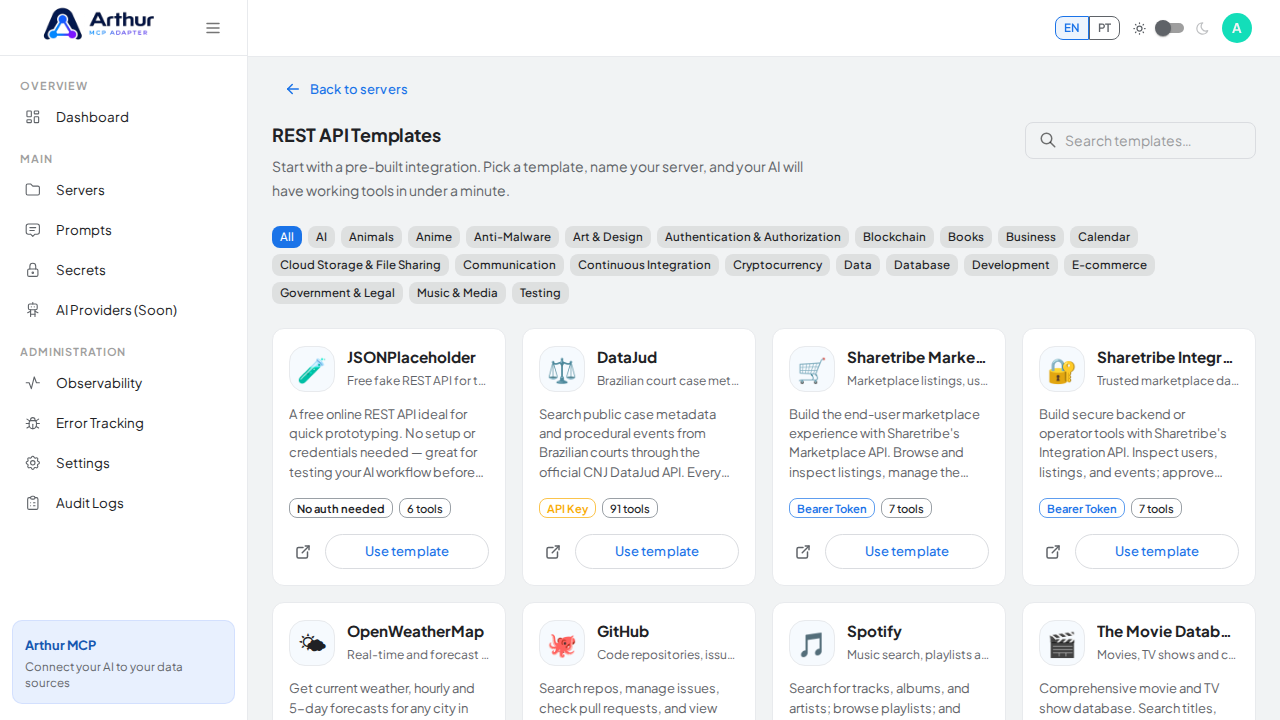
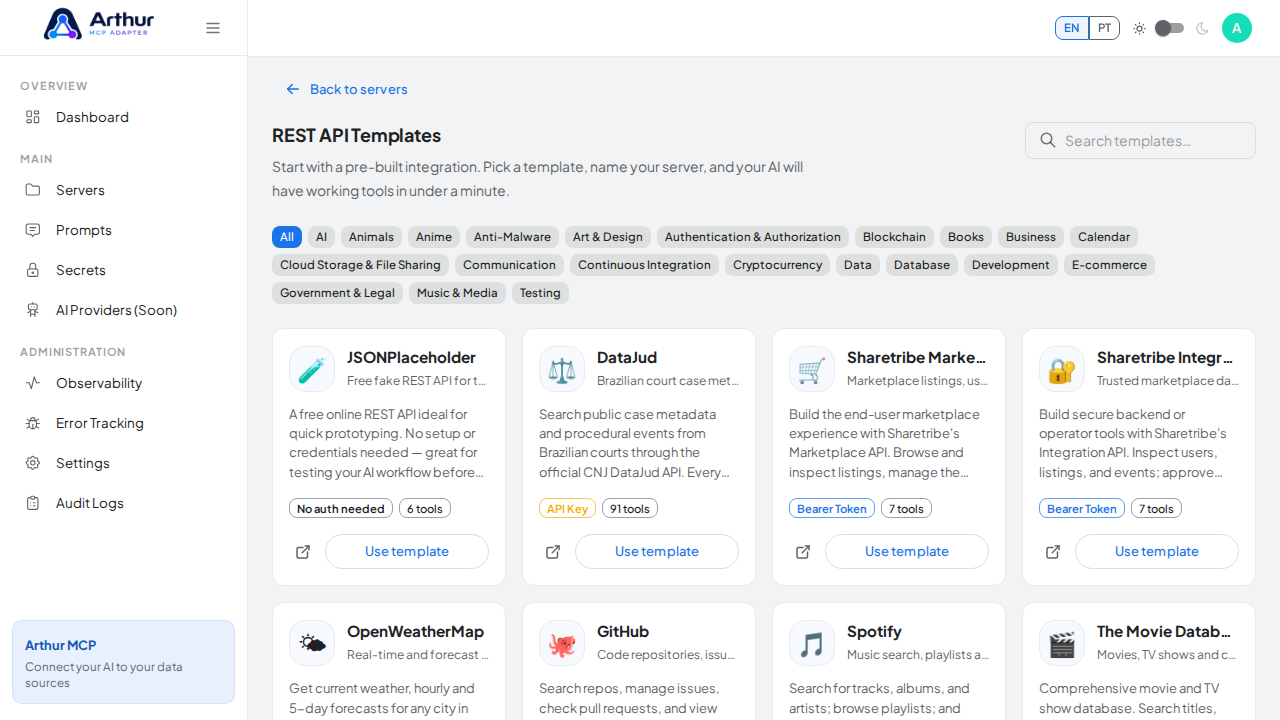
Skip the blank-page problem. Arthur MCP ships with 69+ ready-to-use REST API templates spanning AI, Business, Communication, Data, Database, Development, E-commerce, Music & Media, and Testing — GitHub, Stripe, Slack, Notion, HubSpot, OpenAI, Anthropic, Shopify, Twilio, Supabase, and dozens more.
What you can do
- Pick a template, name your server, paste a credential if the API needs one — Arthur creates the server and every pre-defined tool in a single step.
- Rely on real descriptions, parameters, and authentication wiring that ship already filled in — no guesswork.
- Try the whole flow with zero setup using templates that need no credentials at all (JSONPlaceholder, PokéAPI, Wikipedia, Open-Meteo, CoinGecko).
- Tell a template-based server apart from a hand-built one at a glance, since template servers carry a tag showing where they came from.
How to use it
- Go to Templates.
- Search or filter by category to find the API you want.
- Select a template, give the new server a name, and provide credentials if prompted.
- Confirm — Arthur creates the server with all of its tools ready to review, edit, or test.
Good to know
- A template gives you a starting point, not a locked-in shape. Every generated tool can still be edited or removed like any other. See Dynamic Tools.
- Prompt templates are a separate gallery — see Prompts.
Tutorial video