
Public MCP Swagger Pages
Give any client — a teammate, a client integrator, or an AI agent — a clean, public reference for one server's tools, resources, and prompts, without giving them access to your dashboard.
What you can do
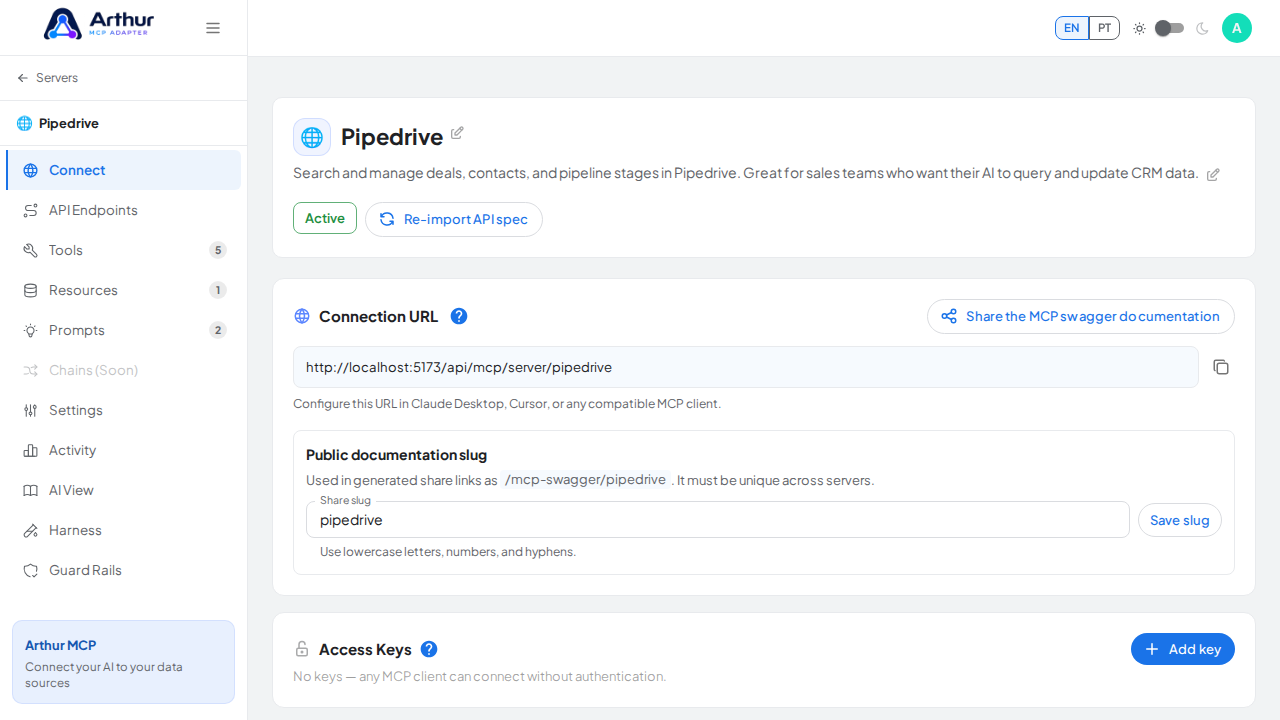
- Generate a permanent public documentation link for any server.
- Let visitors browse every enabled tool, resource, and prompt, including input/output schemas — never credentials or secret values.
- Revoke a previously shared link at any time by changing the server's share slug; the old link stops working immediately.
- Let visitors try tools, resources, and prompts directly from the page using a built-in simulator, authenticating with an access key or OAuth client credentials if the server requires it.
- Scan a QR code that encodes the connection URL, so you can transfer it to a phone or another device without retyping it.
How to use it
- Open a server and go to its Connect tab.
- Generate the public share link.
- Send the link to whoever needs it — no Arthur account required to view it — or have them scan the QR code shown next to the URL to load it on a phone.
- To revoke access, change the server's share slug from the same tab; anyone using the old link loses access immediately.
Good to know
- The share page is public documentation by design — never put anything there that shouldn't be seen by anyone with the link.
- Related: Secrets and Authentication for how access keys and OAuth clients protect a server.
Tutorial video